Online booking
Online booking for driving instructors
Share one link or QR code to a booking page in your colours, with your logo and reviews. Pupils pick a date and time themselves, and every request lands in your booking inbox to approve, defer or decline. Nothing goes in your diary without you.
14 days of the full plan free, no card needed · then £9.99/month · cancel anytime
Part of Driving instructor app and Driving instructor diary and Driving school software and Driving instructor software and Driving instructor booking software and Driving instructor CRM and ADI diary and PDI diary and Try it free
Stop playing phone-tag over a Tuesday slot
Booking lessons by text means chasing replies, missing messages and losing slots. Turn on online booking and pupils see your real availability, pick what suits them, and you get a tidy list of requests to work through when it suits you. You have built a name locally, so the page pupils book on carries it: your colour, your logo, your own wording and your pass photos. Online booking is built into the driving instructor app.
Your own booking page
A unique link and a QR code for your car, socials or website, on a page in your colours with your logo. Pupils book in a couple of taps, no account needed.
Booking inbox
Every request waits for you to approve, defer or decline. Your diary only fills with lessons you have said yes to.
Only where you cover
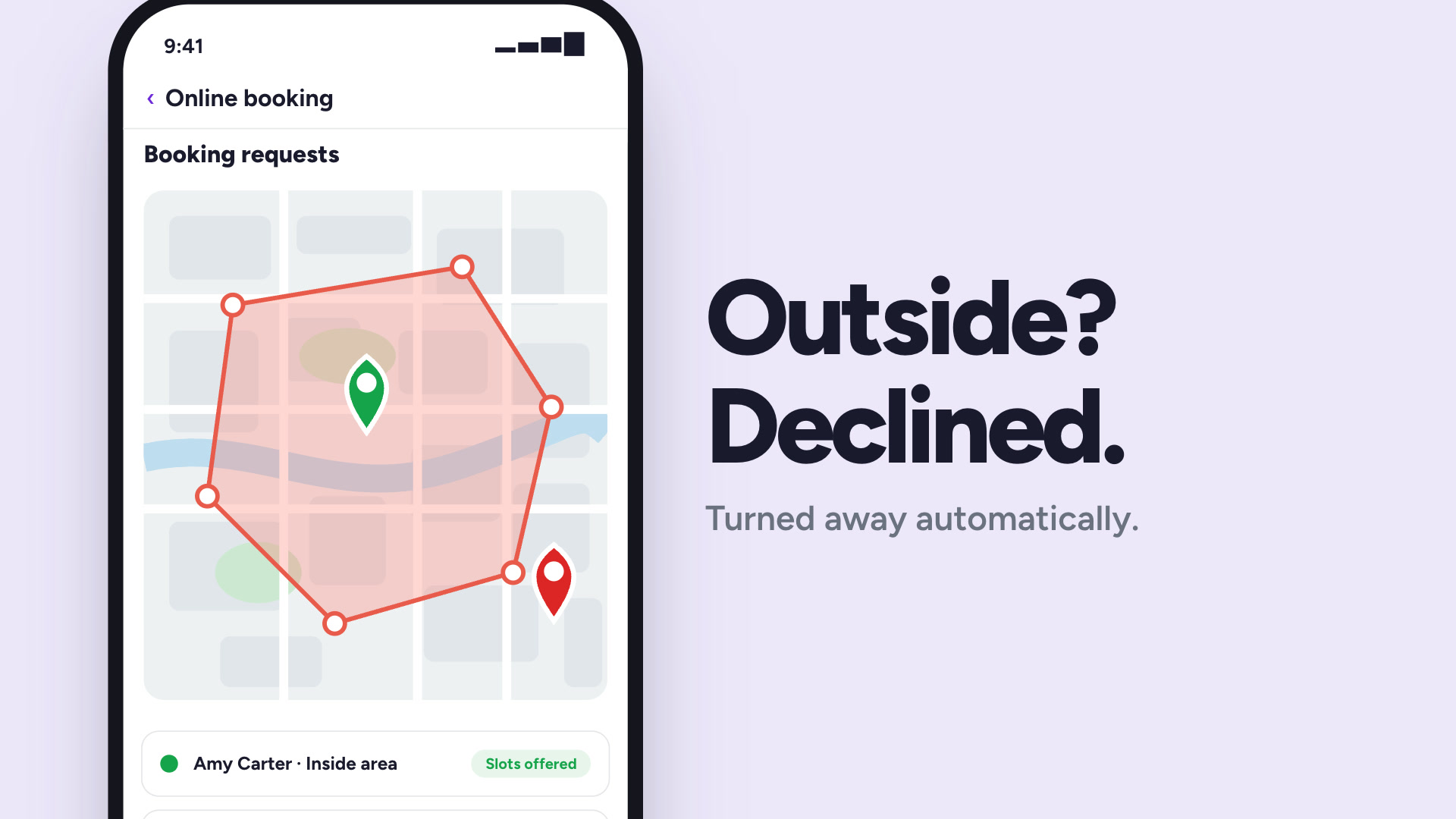
Bookings outside your coverage area are turned away automatically, so every lesson is close enough to be worth the drive.
No clashes offered
Pupils never see a slot that is already booked or outside your working hours, so you cannot be double-booked through the page.
Looks like your business
Your colour, logo, font and your own wording, in light or dark. Show your learner reviews, add your Google or Trustpilot reviews, pass photos, and badges for your certifications and achievements, such as DVSA approved. It fits every screen, from a phone to a computer.
Bookings from your own website
Already take bookings on your own website? Connect it through Zapier, Make or your web developer and those bookings land in the same inbox.
A booking widget for your website
Copy one embed code from Settings and paste it into your own website. Pupils book in your form without leaving your site, and the form resizes to fit.
Watch online booking in action
Make the page look like your driving school, share your link, then approve the pupil's request from your booking inbox. It lands in your diary.
Unable to play the video. Press Play to try again.
A booking page that looks like your driving school
Pupils see your colours, your logo and your reviews, then pick a time that suits them. Share the link or QR code, and each request waits in your inbox for your yes.
-
Make it yours
Pick your colour, font and wording. Add your Google reviews, pass photos and badges. Change it any time, from your phone or computer.
-
Share anywhere
Get a unique public link and QR code. Drop it on your socials, website, car signage. Pupils book in a tap.
-
Stay in your patch
Draw one or more coverage areas on a UK map. Pupils outside your area can't book, so there are no awkward declines.
-
Nothing books without your yes
Every request lands in your Booking Inbox. Approve, defer or decline each one in a single tap.
Pupil app
A private view for every pupil
Every booked lesson gets a private link for that pupil, with no account or app needed. They see your contact details, their full lesson history, and can cancel the one they're on straight from the page.
-
Private by design
Each link works for the one pupil it was generated for, nobody else.
-
Instant cancellation alerts
You're notified the moment a lesson is cancelled.
-
Diagrams from the lesson
Pupils can look again at the roundabout or junction you drew for them. See lesson diagrams
-
Pupils can only cancel
Cancelling is all a pupil can do. Rescheduling and everything else still goes through you.
How online booking compares
Not every driving instructor app lets pupils book themselves — some hold it back for higher tiers. See where Lesson Diary sits against Total Drive, MyDriveTime and GoRoadie.
See the full comparisonCommon questions
- Do pupils need an account or an app to book?
- No. They open your link or scan your QR code, pick a slot and enter their details. No download, no sign-up.
- Can a booking go straight into my diary without my say-so?
- Only if you choose that. By default every request sits in your booking inbox until you approve it.
- Can I make the booking page look like my own business?
- Yes. Pick your colour, font, corners and light or dark, add your logo and change any wording on the page. You can show your learner reviews, add your Google or Trustpilot reviews, a gallery of pass photos, and badges for your certifications and achievements, and choose what shows in what order. A live preview shows each change before pupils see it.
- Can I put the booking form on my own website?
- Yes. Copy your embed code in Lesson Diary and paste it into any page of your website, and pupils book in your form there. Requests land in your booking inbox, the same as from your booking link.
- I already take bookings on my own website. Can I keep it?
- Yes. Lesson Diary gives you a private address for your website. Connect it with Zapier, Make or your web developer, and each booking made on your website arrives in your booking inbox, or goes straight into your diary when the time is free.
- Can I stop people far outside my area booking?
- Yes. Draw your coverage area on a map and anything outside it is declined automatically.
More of Lesson Diary
Watch a short demo of each feature, or see all features.
 Watch
Diary management
Your whole week on one screen: repeat lessons, working hours, clash flags and free slots.
 Watch
Payment tracking
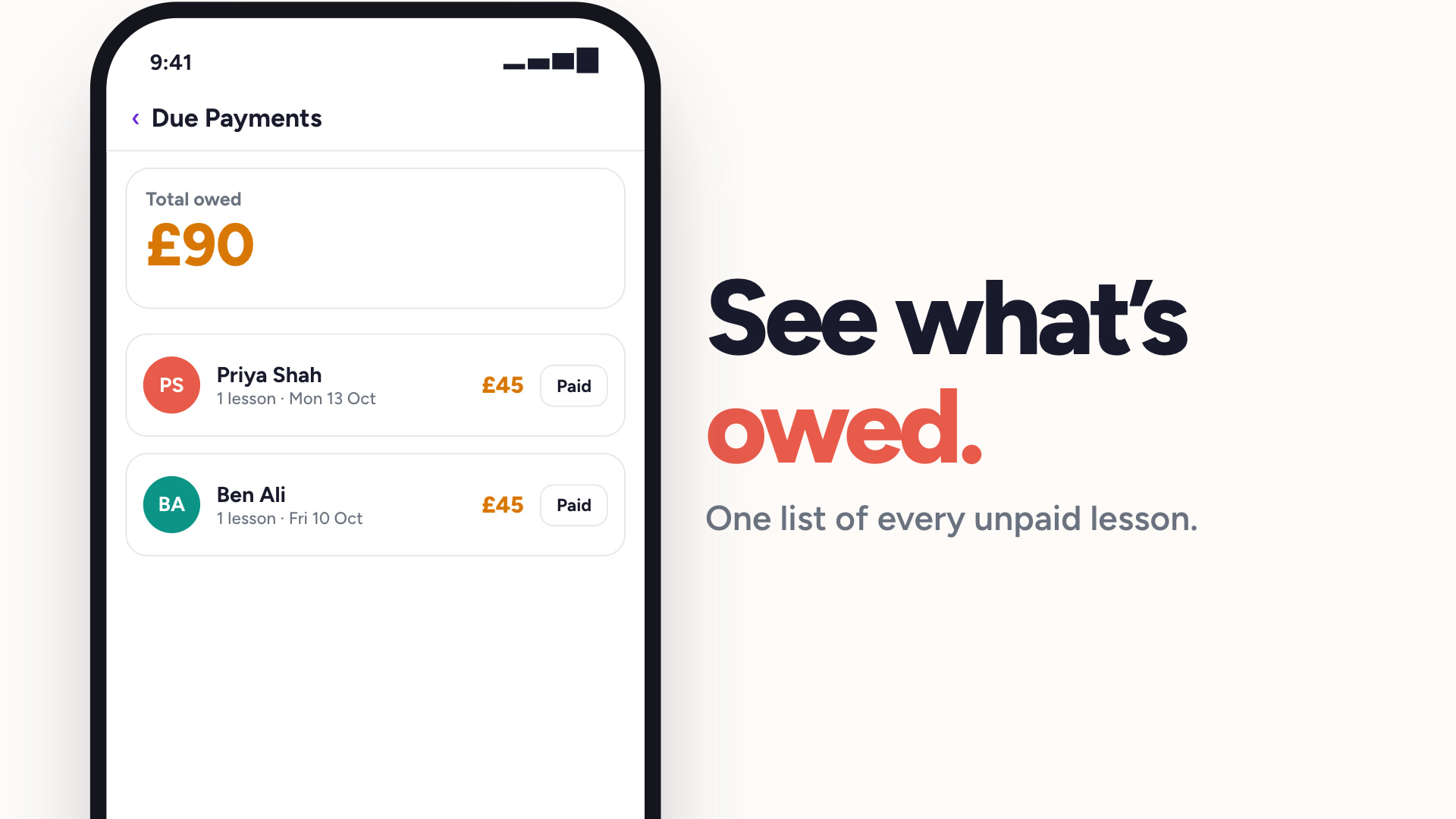
See who has paid and who owes you, without a spreadsheet.
 Watch
Pupil management
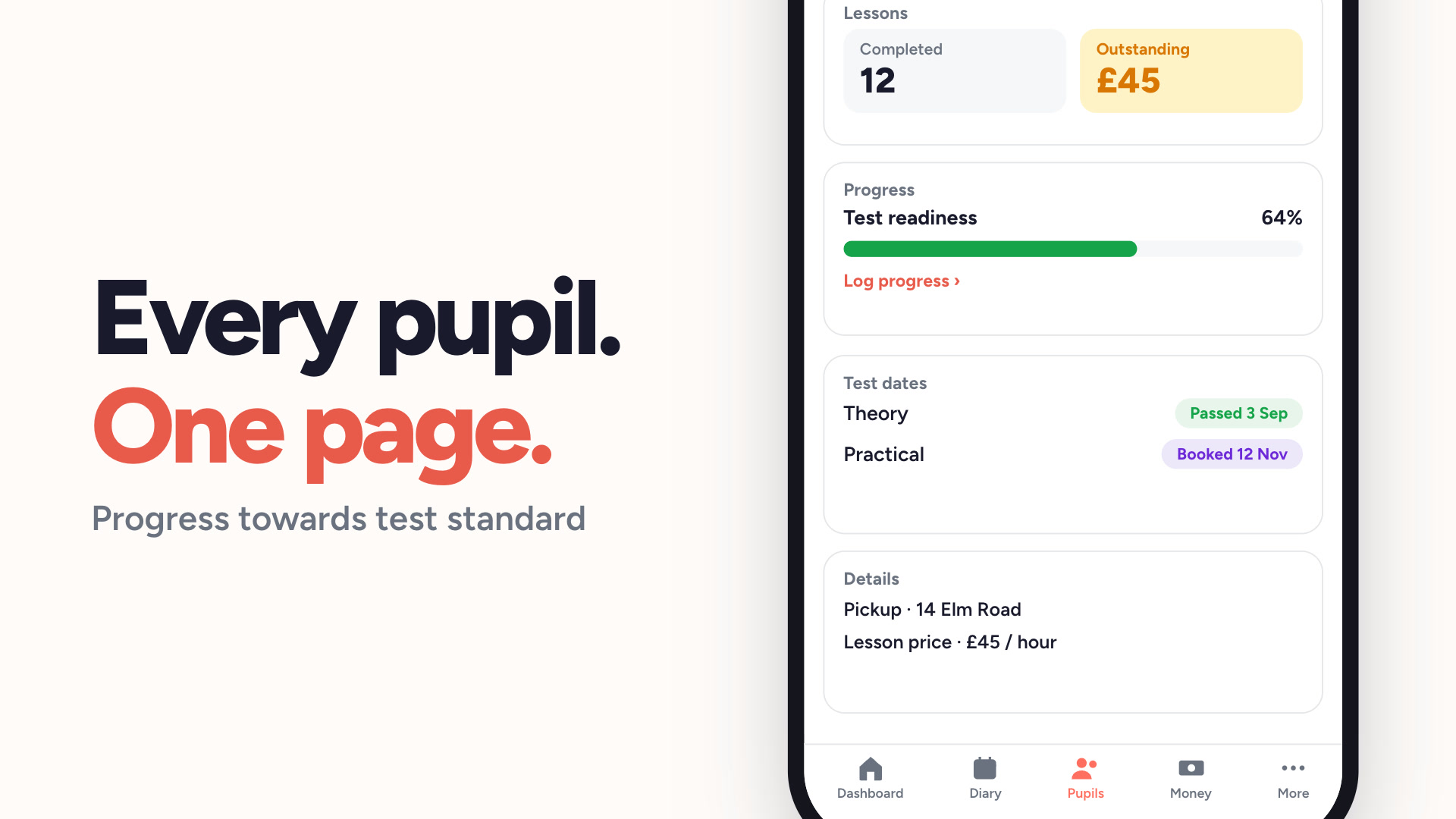
Every pupil, their lesson history and what they owe, in one list.
 Watch
Money & tax
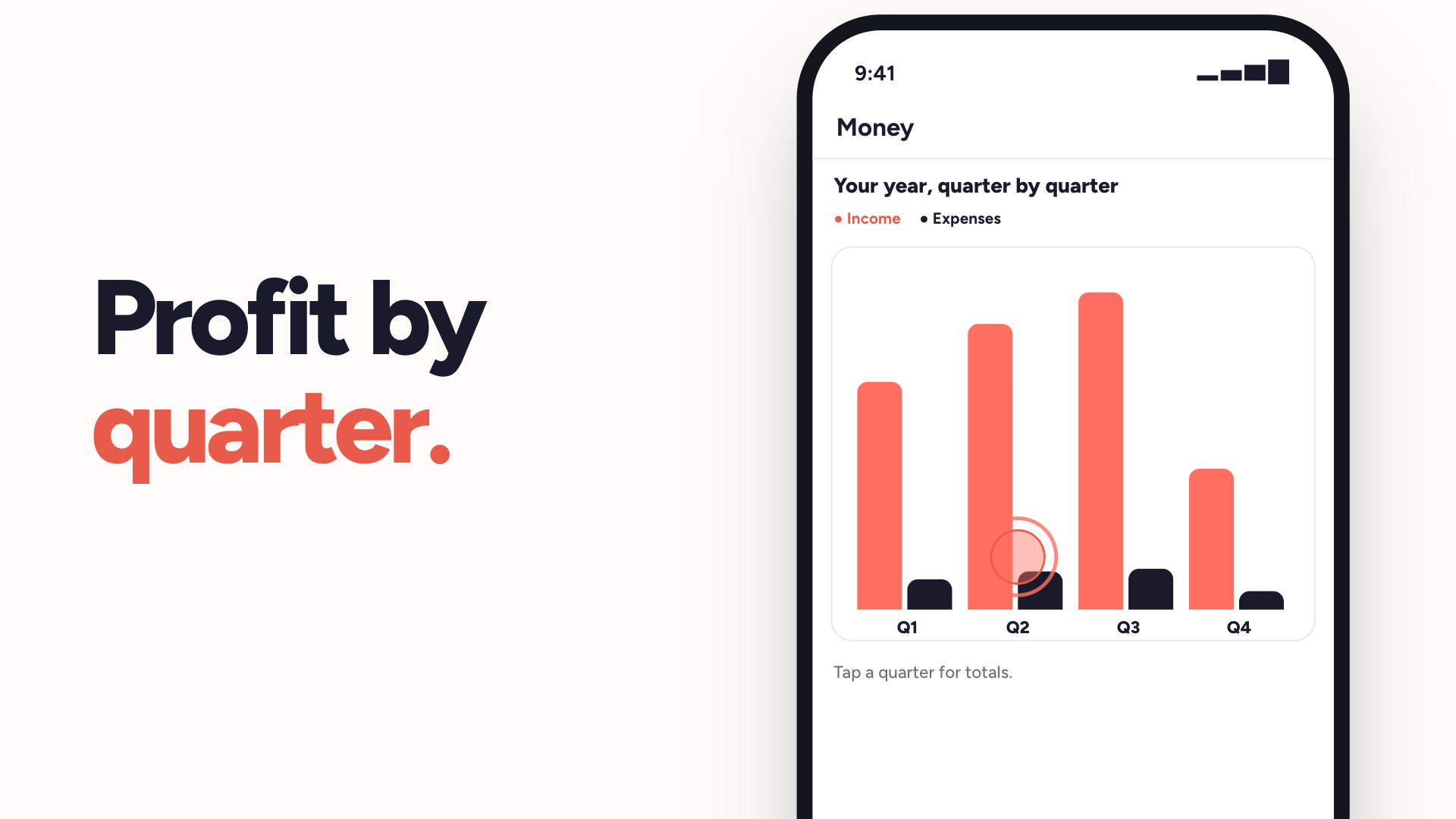
Income, expenses and profit — sorted for Making Tax Digital.
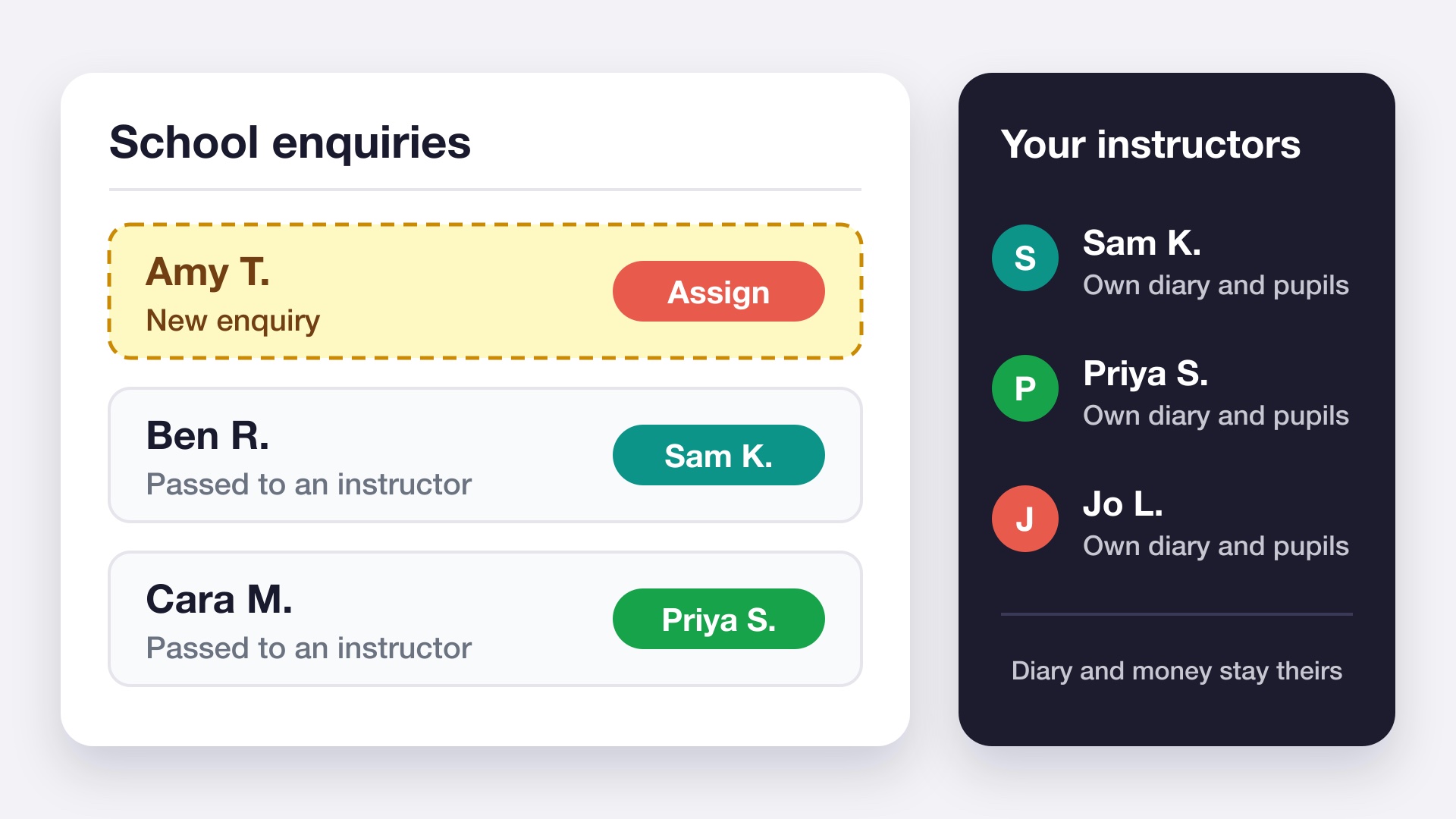 Multi-instructor school
Run a multi-car school: one enquiry inbox, every instructor with their own diary.
 Watch
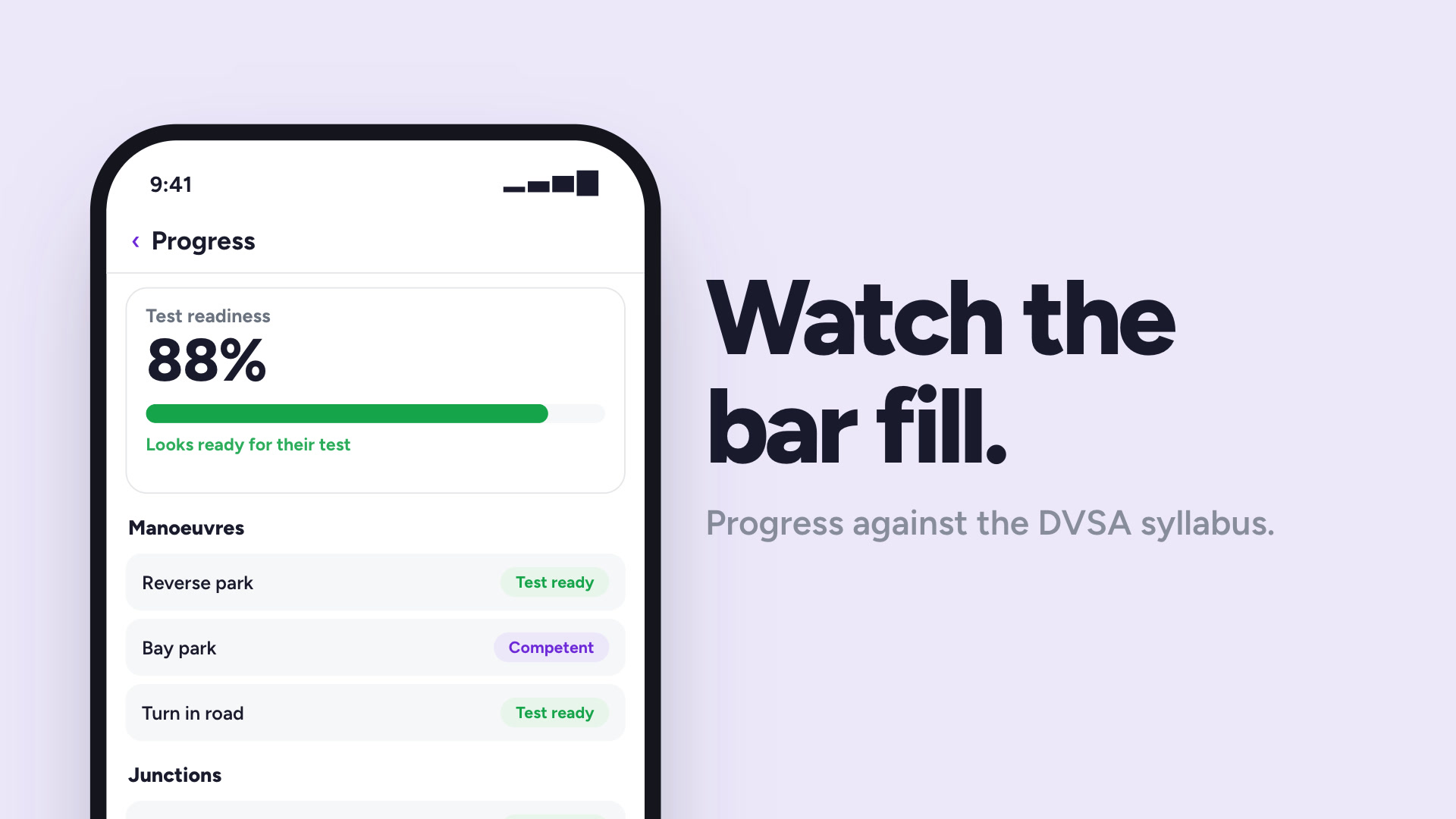
Pupil progress tracking
Track each pupil against the DVSA syllabus, lesson by lesson.
 Watch
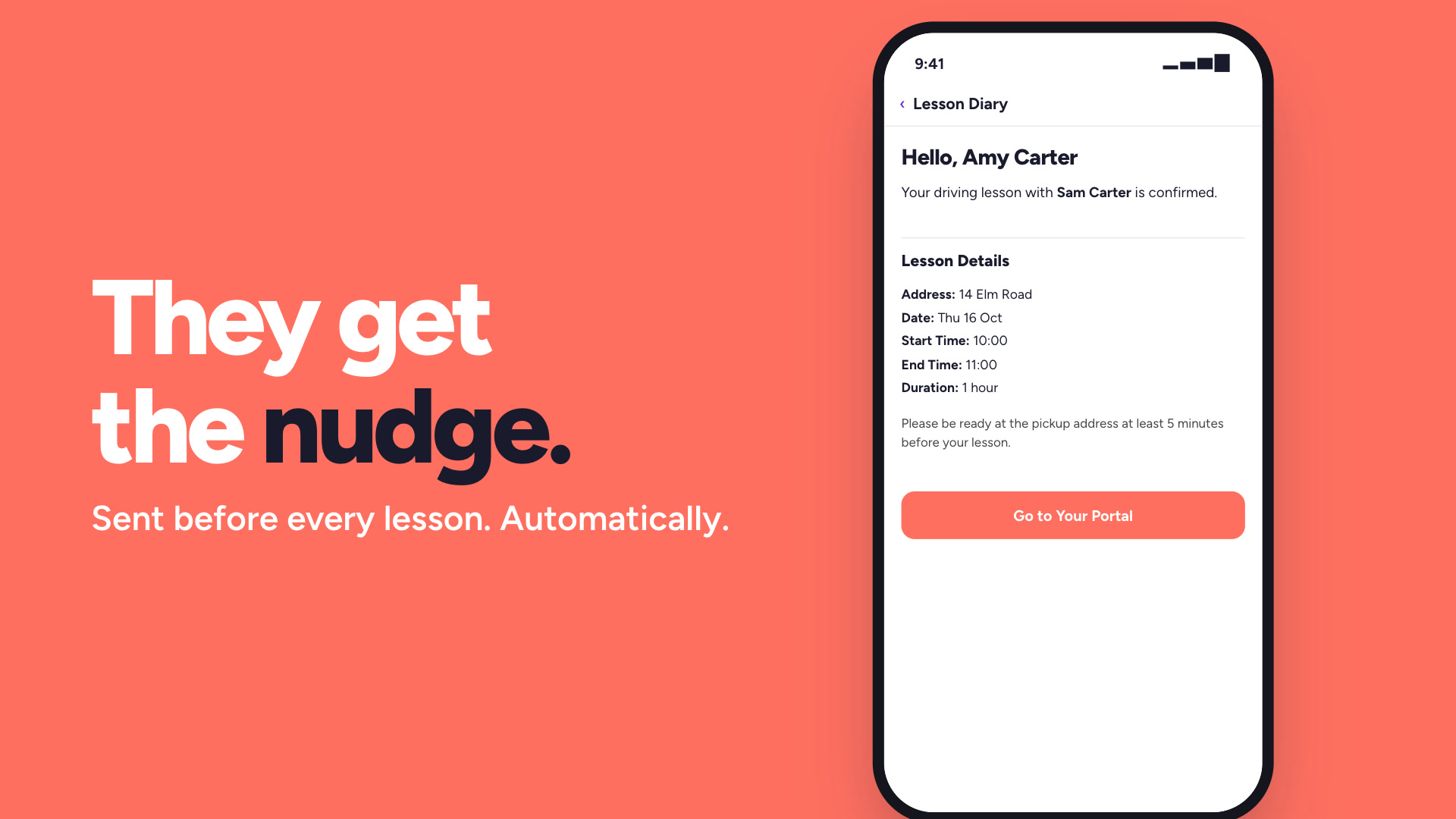
Lesson reminders
Automatic reminders before every lesson, so fewer pupils forget.
 Watch
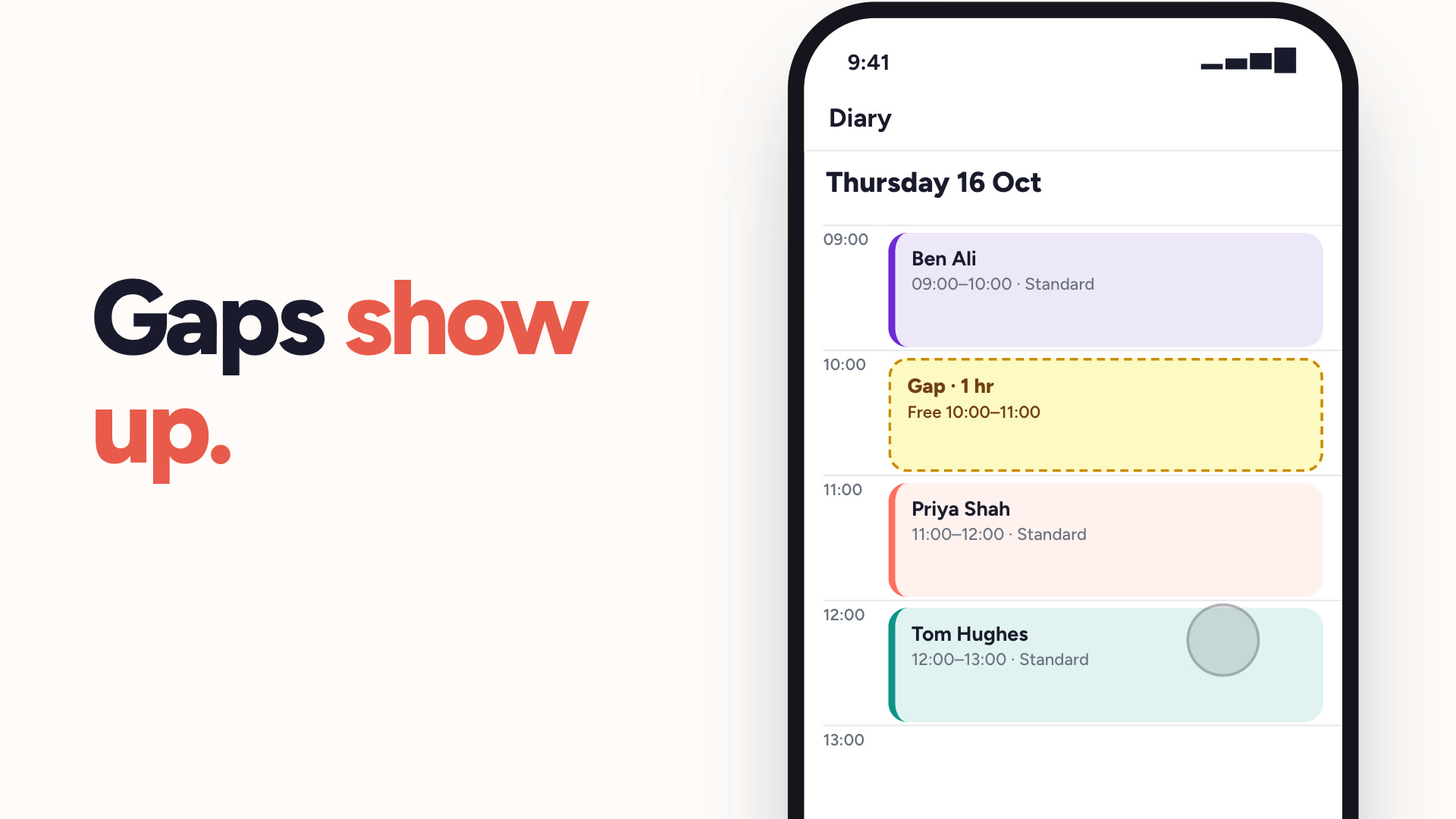
Lesson gaps
Turn any free slot into a lesson. Send it to your pupils and the first to book gets it.
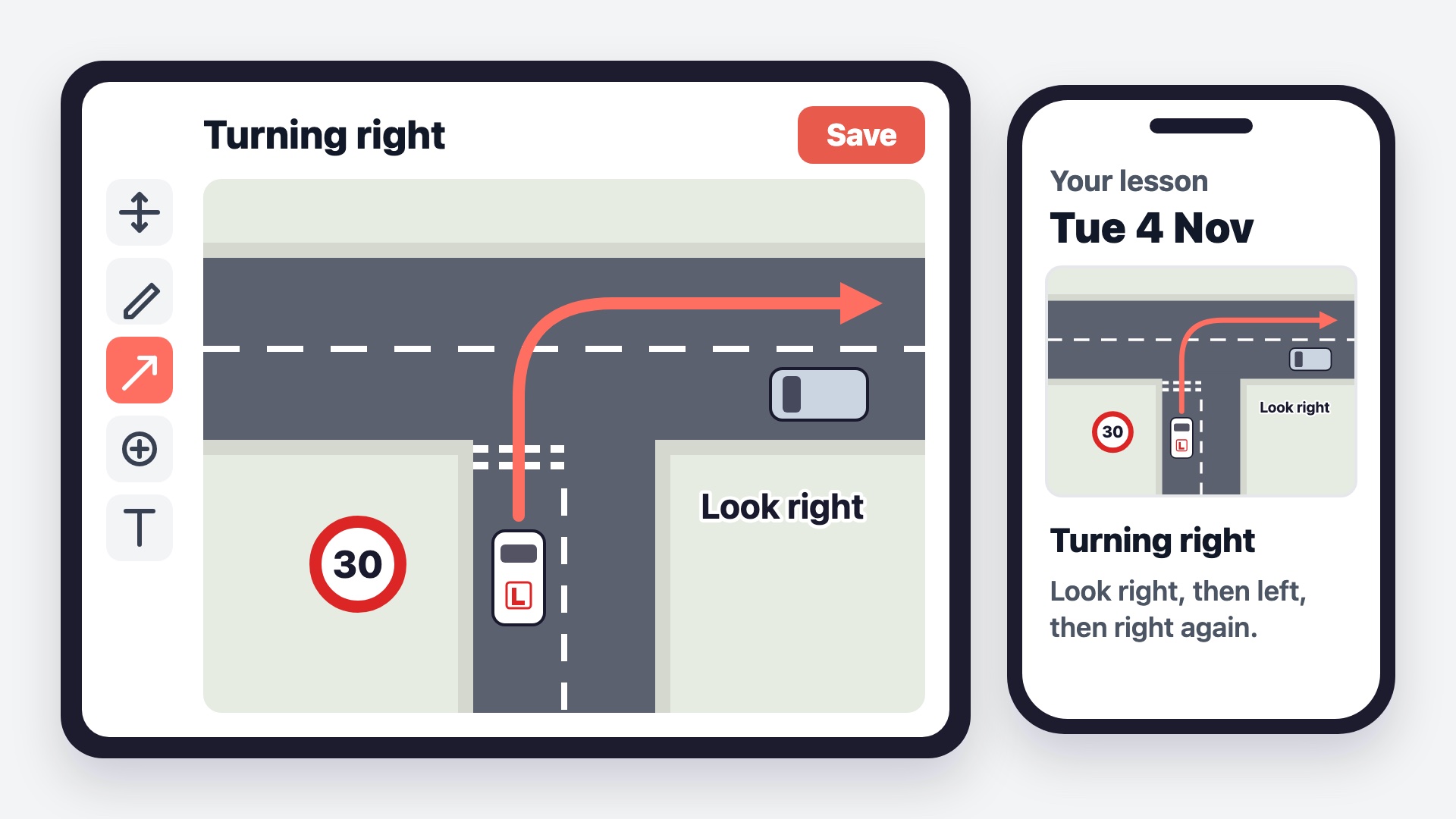 Lesson diagrams
Draw a roundabout or junction on your phone, tablet or computer, and keep it with the lesson.
 Watch
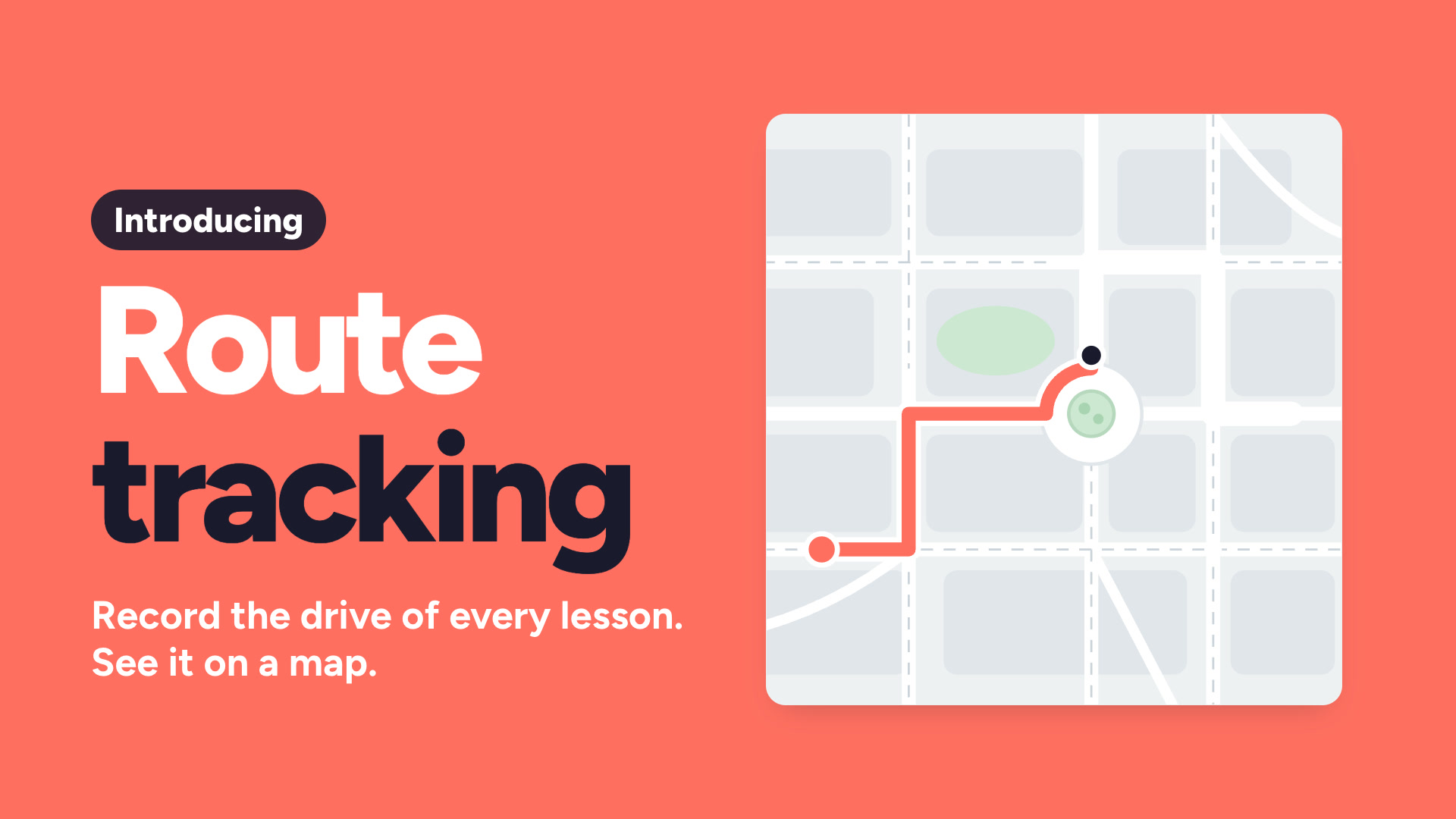
Route tracking
Record the drive for each lesson and show the pupil the map.
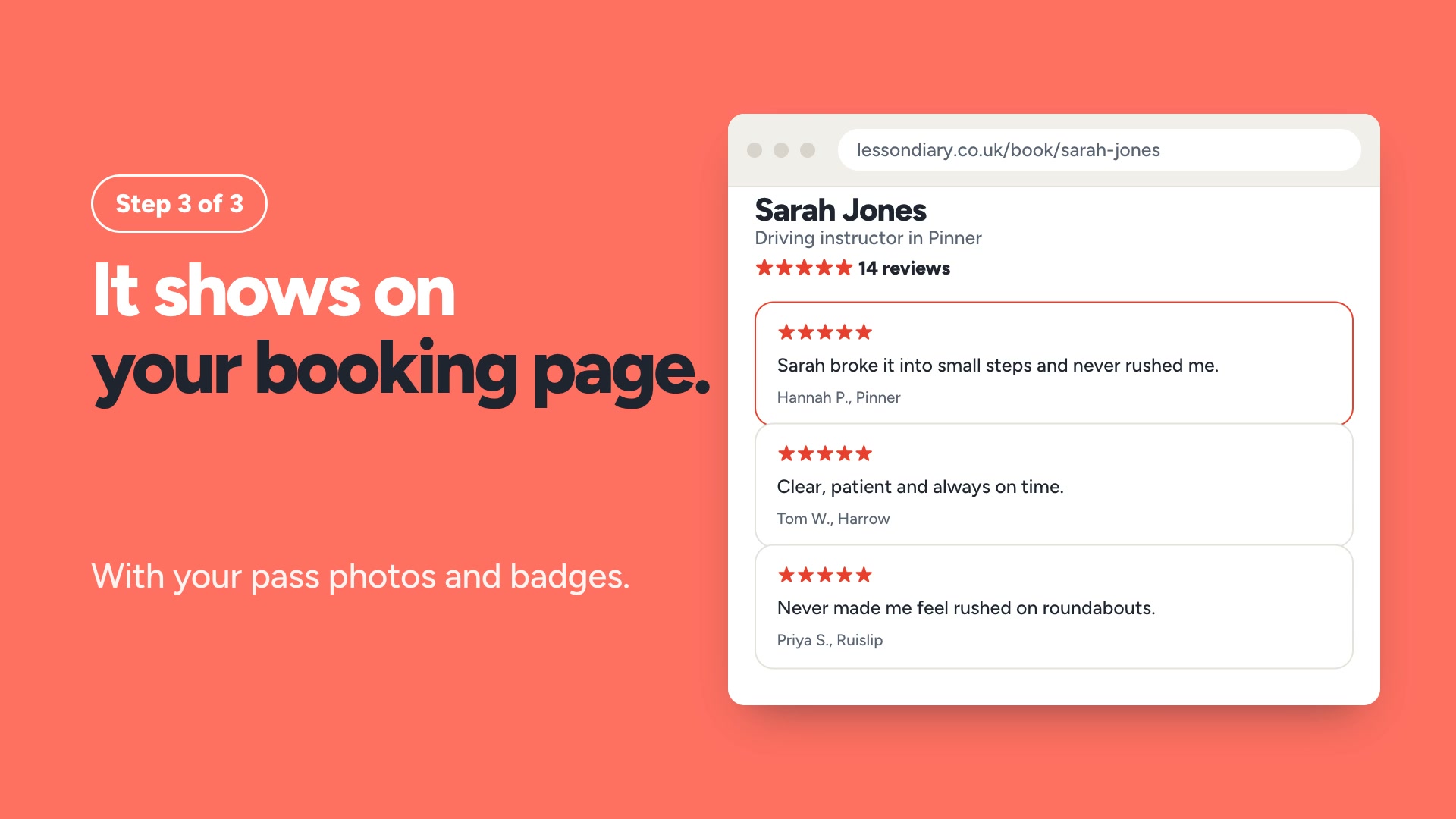 Learner reviews
Learners are asked for a review at an appropriate time. The reviews show on your booking page.
 Watch
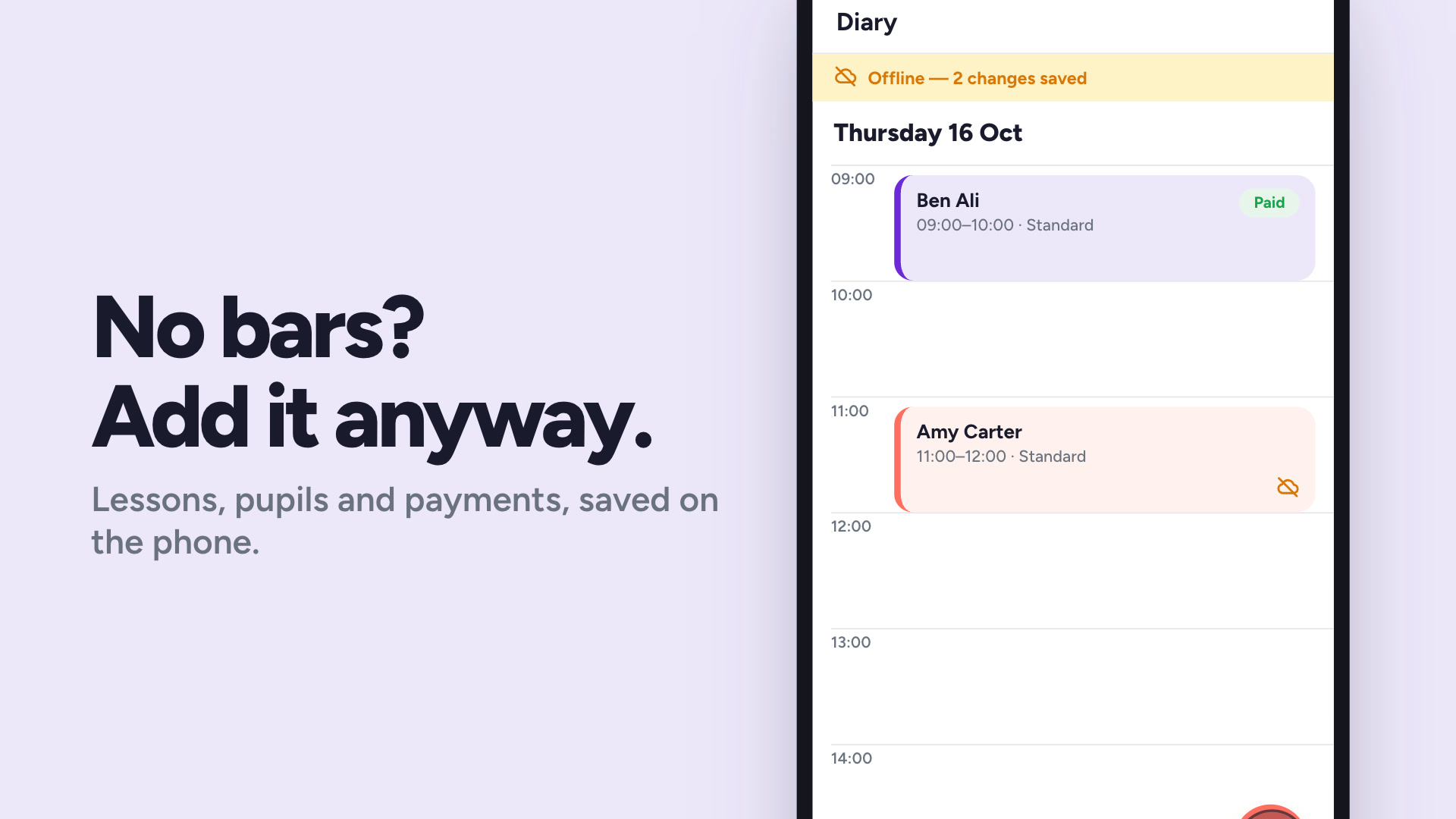
Offline mode
Teach anywhere. Everything syncs the moment you're back.
 Watch
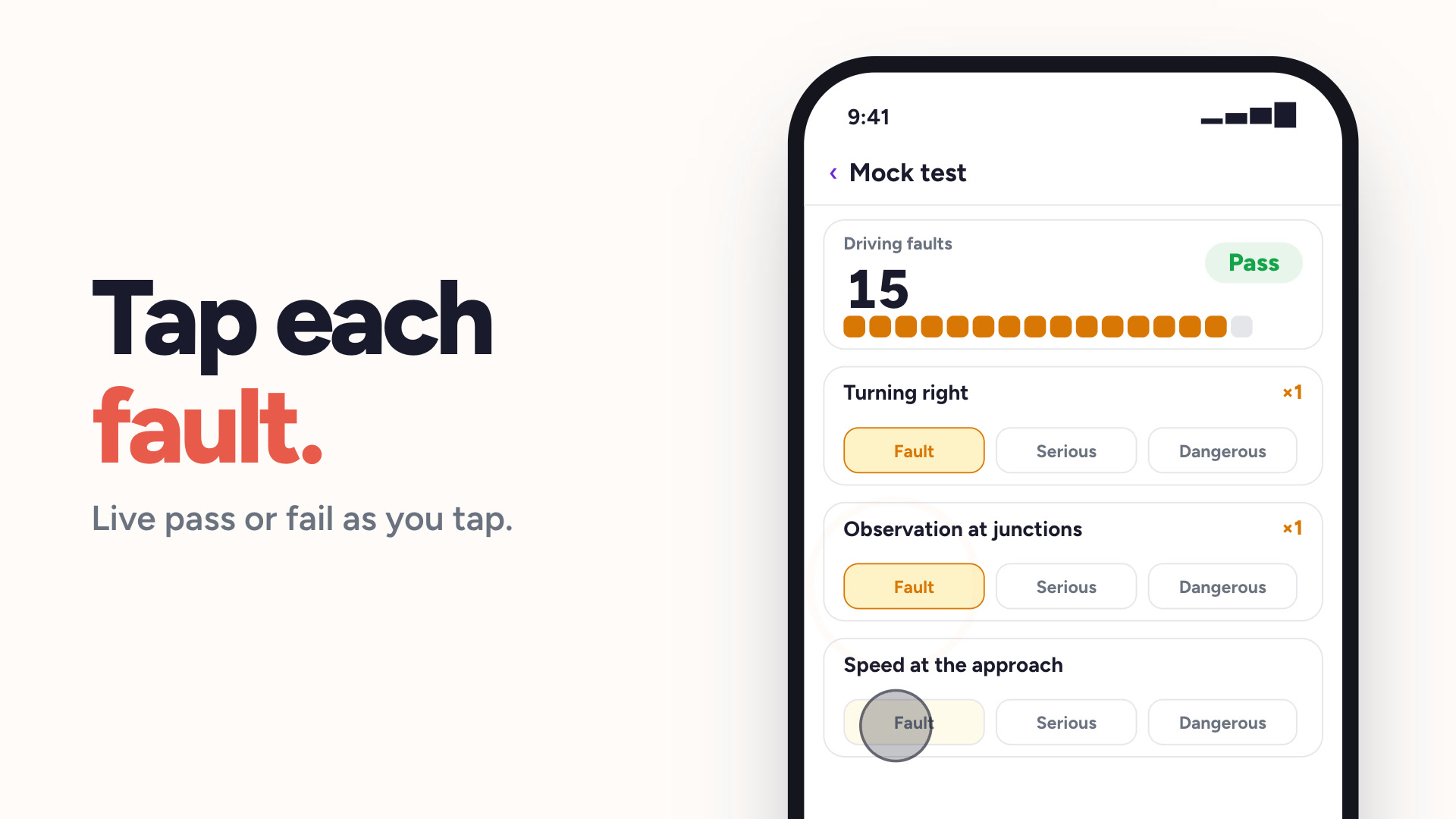
Mock tests
DL25-style mock tests, marked the way the DVSA marks them.
 Watch
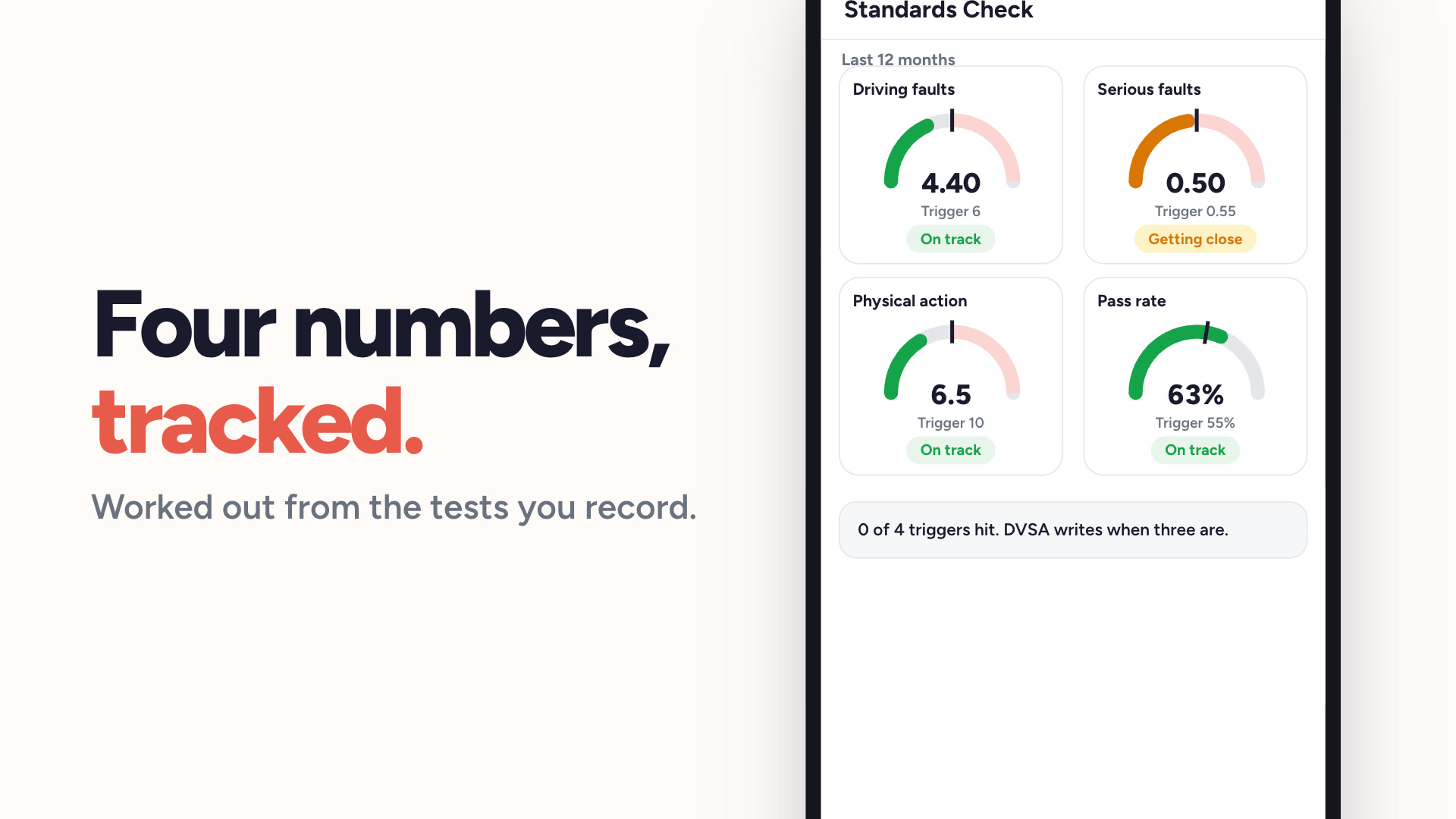
Standards check tracker
Know where you stand against the four DVSA triggers.
 Watch
Coverage areas
Draw your area on a map. Outside it, pupils cannot book.
Ready to get your evenings back?
Try the full plan free for 14 days. No card needed.